Custom domains
Your name on the web — not ours
Don’t have a domain? We’ll get you one — it’s included in your $49/mo. Already own joesroofing.com? Point it at your site with a quick DNS change instead. Either way the domain is yours, at no extra charge from us. And your site is live on a free roofpropage.com address the moment you publish.
Day one
Live the moment you publish — your name in the web address
Publishing puts your site on a free roofpropage.com address immediately — that’s the live demo on the right, at its real address. Connect your own domain and the same site answers at yourname.com instead: on your truck, your yard signs, and your Google listing, it’s your name homeowners see.
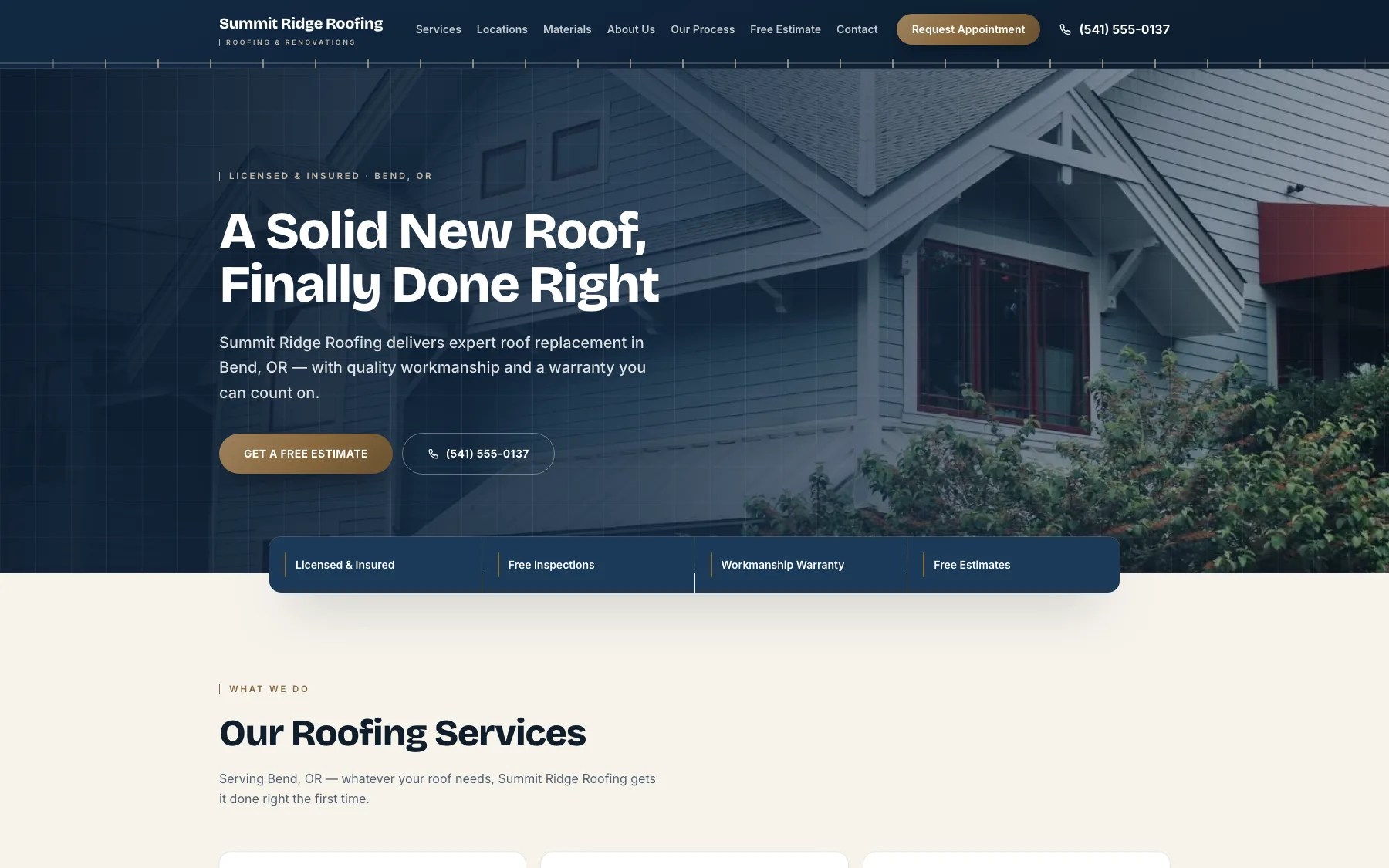
A real, live demo —
Connecting a domain you own
Three steps, no tech knowledge needed
- 1
Enter a domain you own
In your dashboard, open a site’s settings and type a domain you already own — like joesroofing.com, or a subdomain like roof.joesroofing.com.
- 2
Add the record we show you
We show you exactly what to add where you bought the domain (GoDaddy, Namecheap, Squarespace, and so on) — one record for a subdomain, two for a whole domain. It’s a copy-and-paste job.
- 3
It goes live on its own
DNS changes can take a few minutes to a few hours. Leave this page open and we’ll keep checking and flip your site over the moment it’s ready — or come back later and hit “Check status.”
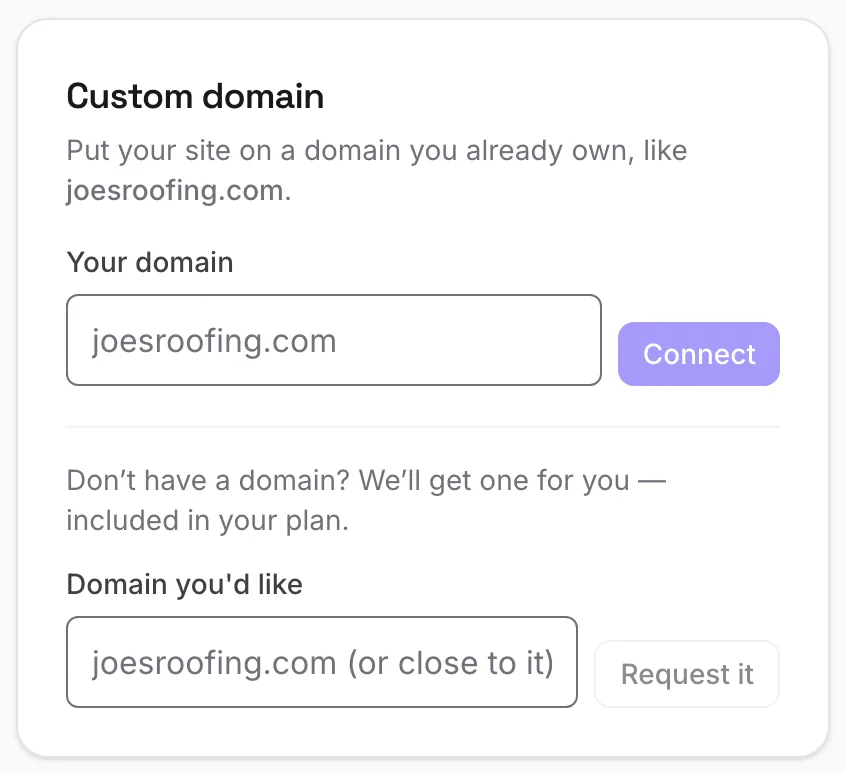
The actual card in your dashboard.
What you’ll add
Exactly what to paste
This is the same thing your dashboard shows you when you connect a domain — no surprises. You add it once at your domain provider and you’re done.
A subdomain
e.g. roof.joesroofing.com
| Type | Name | Value |
|---|---|---|
| CNAME | roof | cname.vercel-dns.com |
A whole domain
e.g. joesroofing.com
| Type | Name | Value |
|---|---|---|
| A | @ | 76.76.21.21 |
| CNAME | www | cname.vercel-dns.com |
It stays yours
Your domain, your control — always
Connecting a domain just points it at your site. It doesn’t hand us the domain, and it doesn’t lock you in. A domain we register for you sits in our registrar account while you’re a customer — but it’s yours to take, any time you ask.
- A domain you bought stays registered to you, at your own provider — we never take ownership.
- A domain we register for you is yours to take: ask any time and we hand you its transfer code, free — registries lock brand-new domains for their first 60 days, and after that it moves whenever you like.
- No extra charge from us either way — ours is part of the $49/mo; yours stays on your own registrar’s bill.
- Leave whenever you like: a domain you connected has a “Remove domain” button; one we registered has “Transfer this domain out.”
- If you cancel, we stop paying that domain’s renewals — it stays registered and yours to claim until the date it’s already paid up to, then it expires. Ask for the transfer code before then and it’s yours, free.
Straight answers
A few honest notes
Don’t have a domain yet? We’ll get you one — it’s included in your $49/mo. You don’t need it to start: your site is live on a free roofpropage.com web address the moment you publish. When you want your own name on it, ask in your dashboard — tell us the address you’d like (any standard .com, .net, .org or .co, or the closest one that’s free; premium names priced in the hundreds aren’t included) and we register it and switch your site over. It’s yours to take with you whenever you want. Rather buy your own from a registrar? Connect it whenever you’re ready.
Connecting the one you own? It’s a quick DNS change and the domain stays registered to you. There’s no extra charge from us — you keep paying your own registrar, nothing more. Leave any time: remove the domain and point it anywhere else.
Already using that domain elsewhere? If it’s in use somewhere else, we’ll ask you to add one extra record to prove it’s yours before we switch it over. We walk you through it.
Build the site first — add your domain when you’re ready
It’s free to build and preview. Publishing is $49/mo, with a custom domain included — we’ll get you one, or connect one you already own.