The essentials
What a roofing website needs to book jobs
A roofing website has one real job: turn a visitor into a phone call or a quote request. Strip away the fluff and it comes down to a handful of things.
Most sites make you build every one of these by hand. RoofPropage builds all of them for you — from a few answers, in about a minute.
RoofPropage · Updated July 16, 2026
An obvious way to get in touch
Your phone number where a visitor can tap it, and a short quote form they can fill out in seconds — on the page they’re already reading, not three clicks away.
Proof you actually do the work
Real roofing photos and a clear list of the services you offer. Homeowners are trusting you on their roof — they want to see that you’re the real thing.
Local pages for the towns you serve
People search “roofer near me” and “[their town] roof repair.” A site with real local pages for the areas you cover is far more likely to turn up than a single home page.
A page for each kind of work
Repairs, full replacements, metal or tile roofs — someone searching for one specific thing should land on a page about exactly that, not a generic homepage.
Fast, and built for phones
Most homeowners will open your site on their phone. If it’s slow or awkward to use on a small screen, they bounce and call the next roofer.
Findable on Google
A clear title and description on every page, a sitemap so search engines can find everything, and settings that let you show up the moment you go live — not buried.
What that looks like
The essentials, on one real page
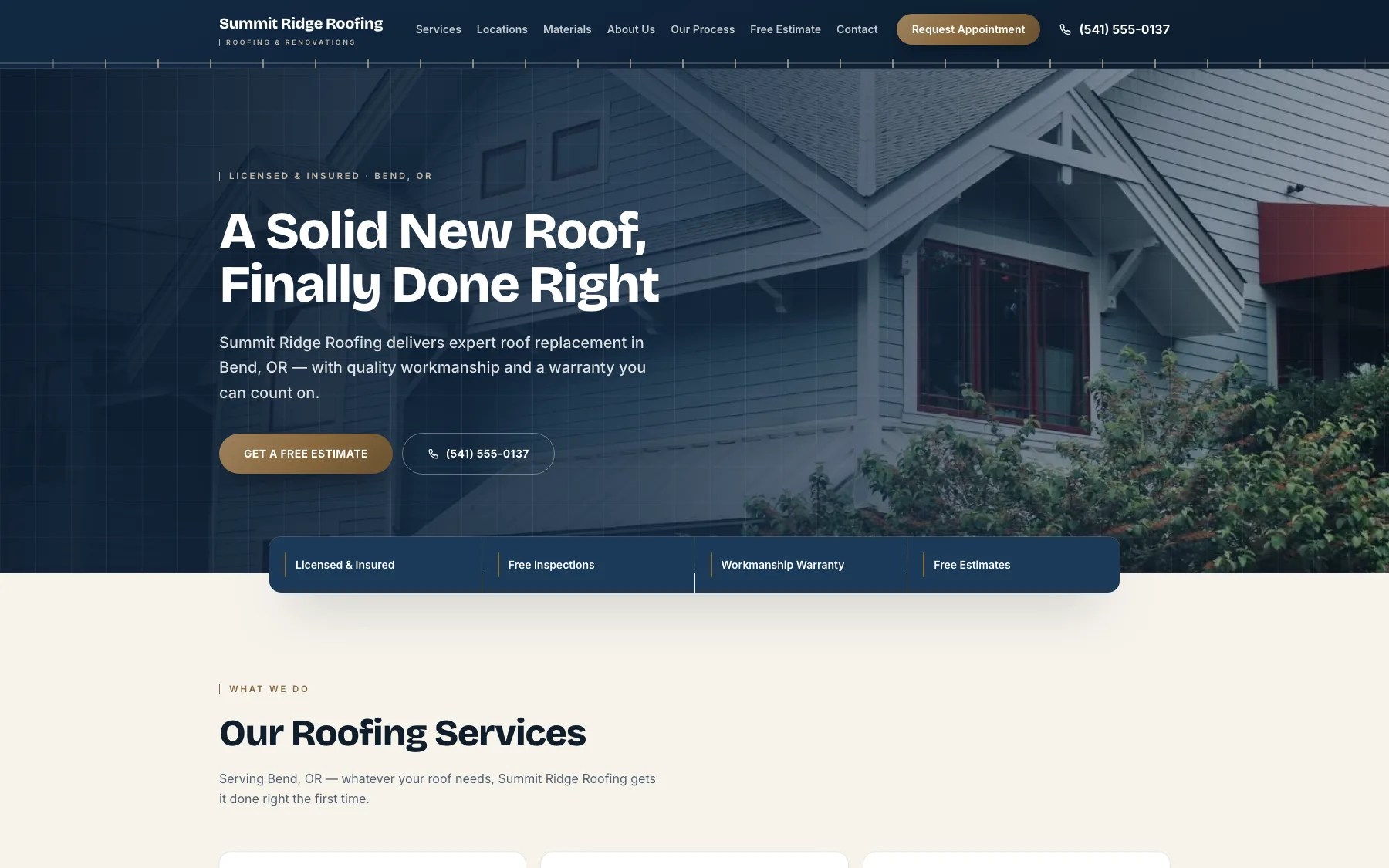
Professional photos in place, a phone number you can tap, services up top — a live demo site we built with RoofPropage (a fictional business, not a customer).
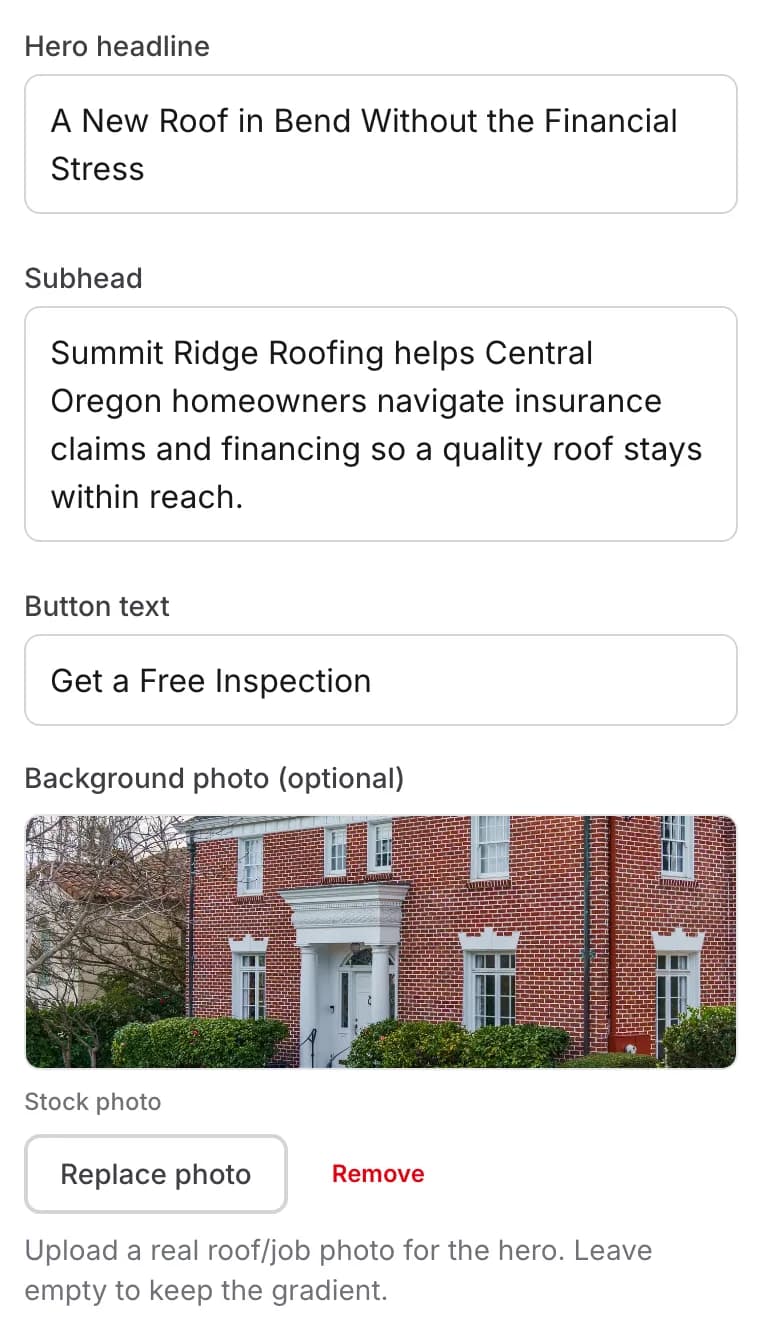
Every site starts with professional roofing photos in place — and this control, in the editor, is how you swap in your own job photos when you have them.
The good news
You don’t have to build all this by hand
Every one of the essentials on this page is something RoofPropage does for you by default — from a few quick answers, in about a minute. Free to build and preview, $49/mo only when you publish.
- A tap-to-call number and a working quote form, built into your live site.
- Professional roofing photos placed on every site out of the box — swap in your own job photos anytime.
- Separate local pages for the towns you serve.
- Service and roofing-materials pages for the specific work you do.
- Built to load fast and work on phones out of the box.
- Titles, descriptions, and a sitemap generated automatically; set to be found the moment you publish.
Keep reading
Not sure how to get there?
If you’re weighing how to build it, the builder-vs-designer comparison lays out your options in plain English.
Get all of it, built for you
Answer a few questions and see a site that checks every box — free to build, $49/mo to publish.